Help: if you make things
Uploading, review, scripts, haptics and the tools. If you are here to listen, there is a separate page for that.
Getting in
How do I get an account?
An invite code. There is a link to the Discord on the support page. Ask there.
What can I do with one?
Writing comes with the invite: you can publish scripts straight away, because writing needs no microphone, no audio and no storage, and making it the cheapest way in is deliberate.
Uploading audio is a capability that gets switched on for your account. Publishing is switched on separately, so your first upload reaches the review queue, and goes no further until it is cleared.
What does it cost?
Nothing, and nothing here earns anyone anything today. It may never. Dreaming, but only doing it as long as it stays fun.
Uploading
What do I need before I start?
- the audio (mp3, m4a, wav or ogg, up to 40 MB)
- a title
- the script, or a declaration that the piece was improvised
- content warnings, if it carries any
- up to three vibes
- optionally the pairing (
F4Mand friends) and the spoken language - the rights and age confirmation, which you tick yourself each time
Why does it want the script?
It feeds the review pipeline: the words get read, and they get compared against a transcript of the audio. If the piece was genuinely improvised, say so under whose script is this and the transcript stands in for it. Do not invent one: an invented script scores as a mismatch against your own audio and slows your review down.
Why declare the spoken language?
Because transcription guesses otherwise, and its likeliest mistake is a near neighbour. An Afrikaans piece came back transcribed as Dutch. Telling it up front is the difference between a useful transcript and a confusing one. A bilingual piece should pin whichever language carries most of it.
Can I upload for someone else?
No. The confirmation you tick is about your rights in this recording, and it is recorded against your name, permanently.
Review
What happens after I submit?
- The submission is written to an append-only record.
- An automated screen reads the script. It is advisory, so if it is unavailable or unsure, the work goes to a person rather than through.
- A person listens, and approves or rejects it with a reason.
How long does it take?
One person does it, so it takes as long as it takes. The queue is ordered fairly by when you first submitted, and your real waiting time stays visible rather than resetting.
I was rejected. Now what?
Fix it and send it back. That is a supported path, not a restart. The rejection reason comes with it, your audio and haptics are kept, and you can correct the script, the attribution, the warnings or the language.
⚠️ Do not delete and re-upload to fix a dropdown. Deleting destroys the submission record; resubmitting adds to it.
A new recording, though, is a new work: the reviewer listened to a specific one, and swapping the file underneath a decision would make the record describe something that no longer exists.
Can I delete something?
A draft or a rejection, yes. Those are yours. Once a reviewer has seen it, it stays on the record. That record is the thing that makes this defensible to anyone who asks.
Scripts
Who can record what I write?
You choose, and your answer travels with the script wherever it goes:
- anyone: record it, just credit me
- ask me first: requests come to you, and you approve or decline them
- nobody: it is here to read
Changing your mind later stops new recordings. It cannot retroactively unpublish work someone made in good faith under the old terms, and the old terms stay provable.
Does a recording credit me automatically?
Yes, when the voice links your script rather than typing a credit by hand. Linking replaces the typed credit entirely: your name, your link, your terms, taken from your own row instead of from someone’s recollection of it.
My script needs a person to read it first?
Your first few published scripts are read by a person. After that, a clean automated screen publishes them on its own. It counts what you have published, not what you have drafted.
Haptics
How do I score a work?
In Score, the haptic workstation. You never handle a file: a finished score is pushed straight into your library here, and you attach it to one of your works from your Content page.
Attaching is refused on a published work, so unpublish it first. The alternative would be a live work quietly differing from the one that was reviewed.
What is the Lovense developer token for?
It is your own token, and it is what lets your listeners pair a toy to your work through the Lovense app, including on iPhone, where browser pairing does not exist. It also powers Score Studio’s live toy preview.
It is free. ⚠️ Every creator uses their own. Your listeners’ traffic goes through your token, not a shared one, which is the only way this works once more than a handful of people are listening at once.
Getting one, step by step
1. Start at lovense.com/sextoys/developer/join.
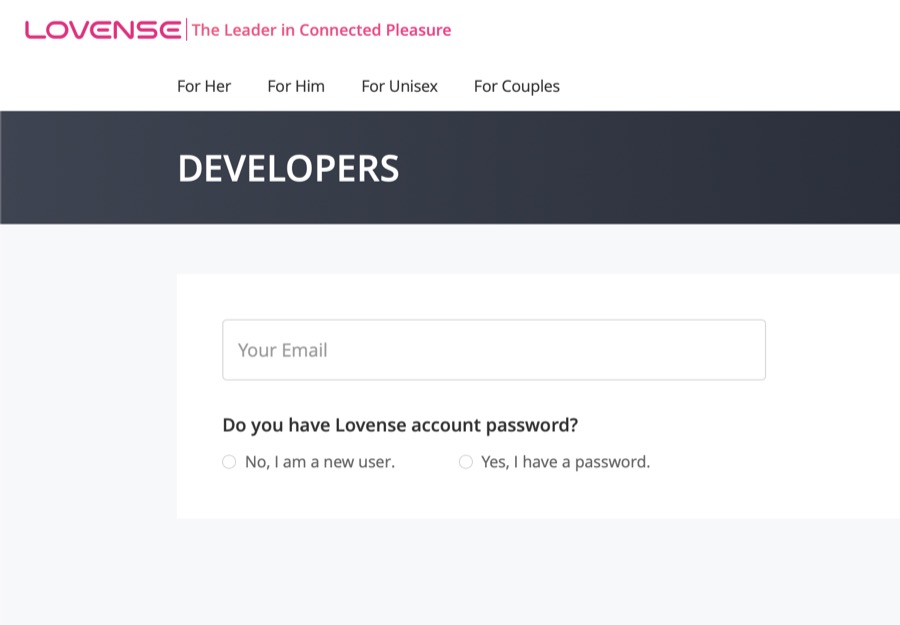
https://ferality.app/ as the Website URL.
⚠️ The Brand Name is the name your listeners will see in the Lovense app when
your work drives their toy, so use your own brand or persona, not mine and not
"Ferality". Changing it afterwards means emailing Lovense, so get it right here.
Category Other, and a sentence about what you are doing.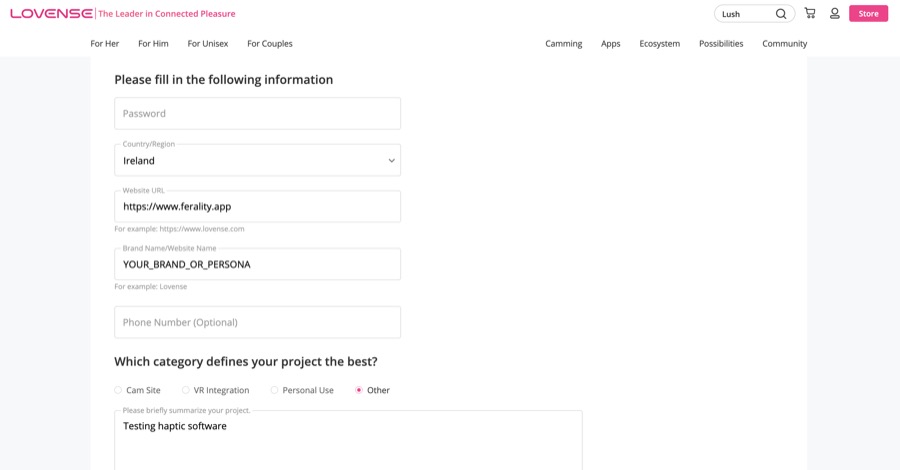
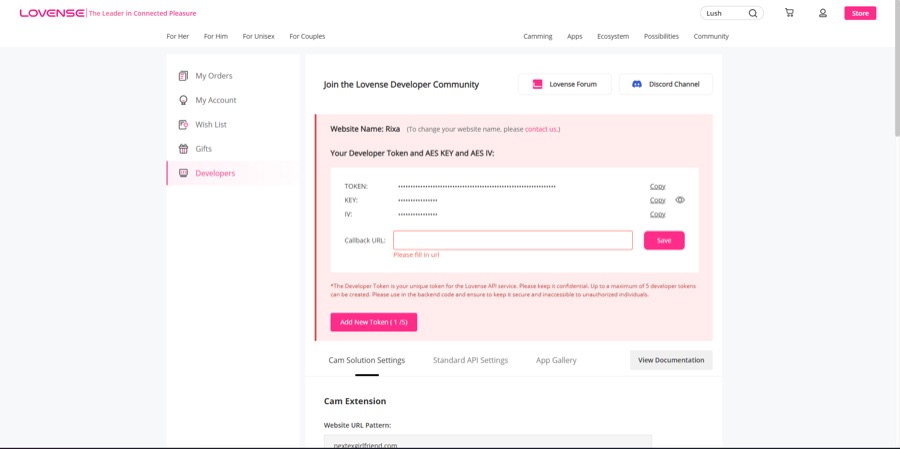
https://ferality.app/lovense/callback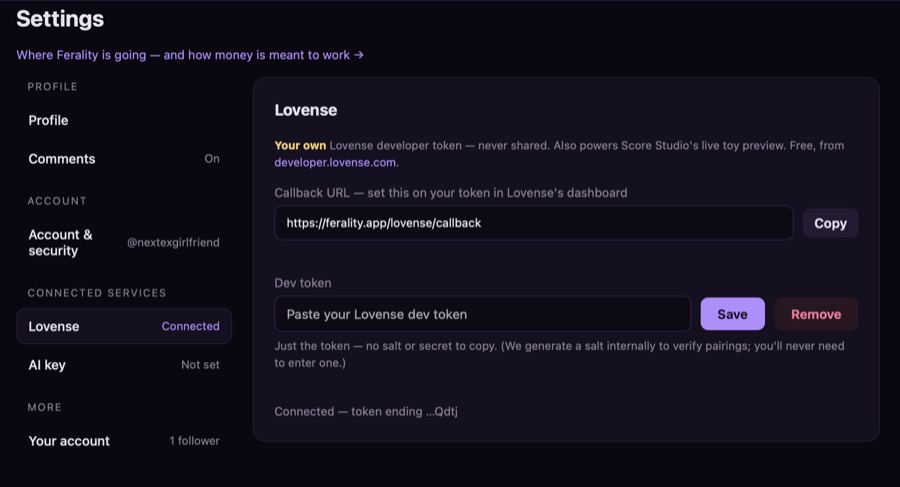
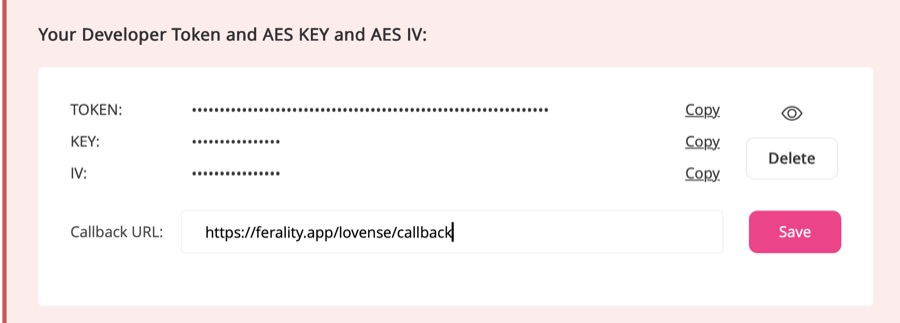
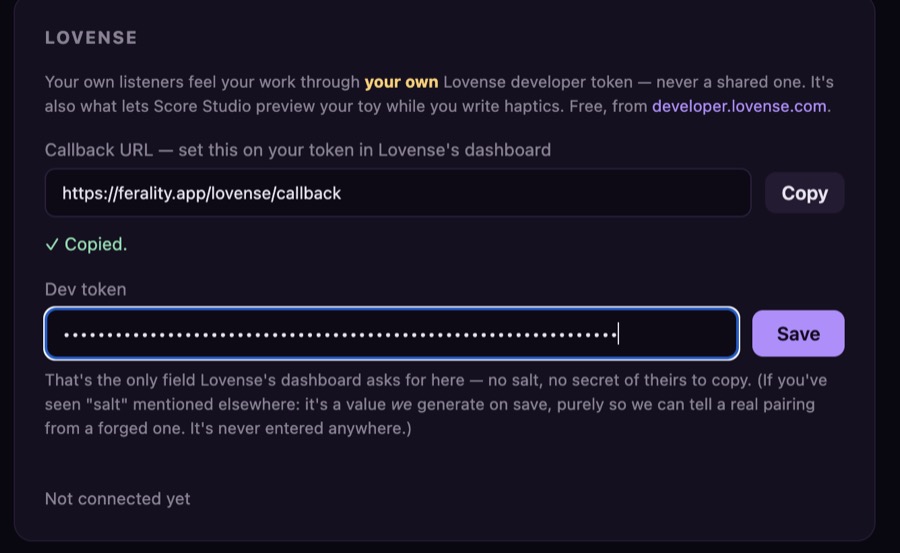
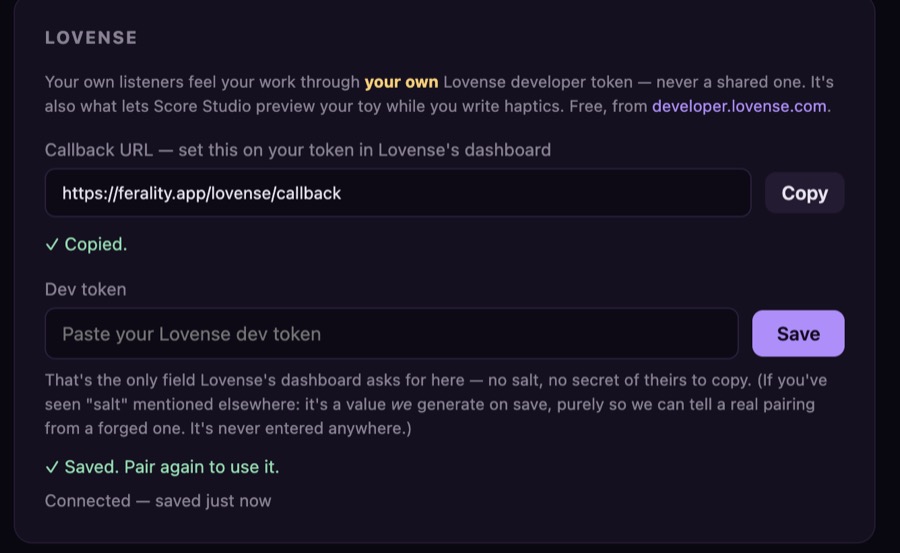
Test it in Score Studio, where the live toy preview runs on the same token. From then on your listeners see your name in the Lovense app when they play something of yours.
Do listeners need a toy?
No, and most will not have one connected. Score the piece as though the audio stands alone, because for most of its audience it will.
Your page
Can I change my handle?
Yes, from Settings, once every thirty days. Your old handle keeps working as a redirect and cannot be taken by anyone else, so links you have already shared keep landing in the right place.
What shows on my storefront?
Everything you have published: audio, shows, scripts and patterns. A tab that would find nothing is not shown, so a writer’s page is a writer’s page.
Something is wrong
Bugs, questions, and anything that looks broken: the support page.
Here to listen? The listener answers are here.